

Description
Download Labubu Coloring Pages Glitter – coloring pages, kids coloring, glitter coloring, labubu coloring, monster coloring, fun for kids, creative art, children's art, educational games
Overview
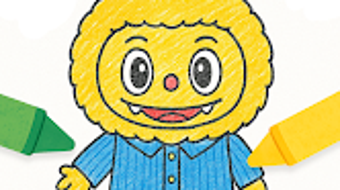
Labubu Coloring Pages Glitter is a desktop application designed to inspire creativity in young children through interactive coloring activities. The software features a collection of whimsical Labubu-style monster illustrations, offering a playful and engaging experience for kids. It is tailored for children who enjoy imaginative art, color exploration, and hands-on creative expression. The app supports the development of fine motor skills, color recognition, and artistic confidence through its intuitive interface and diverse coloring tools.
Designed by KIDS GAMES, the software aims to blend entertainment with early learning, making it a valuable tool for parents and caregivers seeking enriching digital activities. It is suitable for toddlers and preschoolers who are beginning to explore drawing and coloring. The app enables children to personalize their artwork with glitter brushes, crayons, markers, and decorative stickers, transforming each piece into a unique creation. Completed artwork can be saved locally or shared with family and friends, encouraging pride in their accomplishments.
The developer did not provide additional details about the app’s underlying technology or educational framework. However, its focus on artistic engagement and safe, child-friendly navigation suggests a purpose-built environment for early childhood development. The software operates entirely on desktop platforms, allowing use on both Windows and Mac systems.
Key Features & Capabilities
- Labubu-Style Monster Illustrations: A curated set of playful, cartoonish monster designs inspired by the popular Labubu aesthetic, offering visually appealing subjects for coloring.
- Interactive Coloring Tools: Includes glitter brushes, crayons, markers, and other digital art tools that mimic real-world materials for a tactile coloring experience.
- Personalization Options: Children can enhance their artwork with stickers, patterns, and decorative elements to make each creation unique.
- Artwork Saving & Sharing: Completed coloring pages can be saved to the device and shared with others, promoting creativity and communication.
- Child-Friendly Interface: Simple navigation and large, responsive buttons ensure ease of use for young users with limited digital experience.
These features support a seamless workflow for young artists. For example, a child can select a monster, choose a glitter brush, and fill in the design with sparkles, then add a star sticker in the corner. The app’s structure encourages experimentation and self-expression without requiring advanced skills. It is ideal for use during quiet time, as a creative break from screens, or as part of a learning routine focused on art and emotional expression.
User Interface, Workflow & Performance
The user interface is designed with simplicity and accessibility in mind. The layout features large icons, clear labels, and a minimalistic design that reduces visual clutter. Navigation is straightforward, allowing children to move between coloring pages, tool selection, and settings with minimal assistance. The workflow is linear: select a page, choose a tool, color, and save or share the result.
Performance details were not specified by the developer. However, based on general software behavior, the app likely maintains stable operation during typical use. The developer did not provide information on CPU or RAM usage, so actual resource consumption remains unknown. No reports of crashes or freezes were mentioned in the provided data.
Stability is expected to be consistent for a desktop application of this nature, especially given the limited scope and target audience. The software does not appear to require complex background processes, which may contribute to smooth performance on standard systems. The user experience is optimized for touch and mouse input, making it suitable for use with both keyboards and trackpads.
Compatibility & System Requirements
Labubu Coloring Pages Glitter is compatible with both Windows and Mac operating systems. The software version is 1.0.1, with a file size of 200 MB. This indicates a lightweight installation, suitable for systems with moderate storage capacity.
Exact system requirements were not listed. The developer did not specify minimum processor speed, RAM, or graphics capabilities. As such, users should refer to their system’s general compatibility with desktop applications. The software is designed for desktop use, and no mobile or web-based versions are mentioned.
Platform compatibility information is limited to the two major desktop operating systems. No details were provided about support for older OS versions or accessibility features. The installation process is assumed to be standard, though specific steps were not described.
Pros and Cons
Pros
- Engaging, child-friendly design with popular Labubu-style characters
- Interactive tools including glitter brushes and markers for creative expression
- Supports educational development through color recognition and fine motor skill building
- Simple interface ideal for toddlers and preschoolers
- Ability to save and share artwork with family and friends
Cons
- No detailed system requirements provided
- Performance and resource usage information not specified
- Limited to desktop platforms; no mobile or web access
- Price point of $4.99 may be considered high for a single-purpose coloring app
- No information on update frequency or future content additions
FAQ Section
Is Labubu Coloring Pages Glitter compatible with Windows and Mac?
Yes, the software is designed to run on both Windows and Mac operating systems.
Is the app safe for children to use?
The app features a child-friendly interface and is intended for use by young children. It does not include advertisements or in-app purchases based on the provided information.
Can I update the software after installation?
Updates are likely available through the official distribution channel, though specific update mechanics were not detailed.
Is the software available for free?
Labubu Coloring Pages Glitter is a paid application priced at $4.99. There is no indication of a free version or trial period.
Does the app require an internet connection?
The software can be used offline after installation. No online features or cloud storage are mentioned in the provided details.
Final Thoughts + CTA
Labubu Coloring Pages Glitter offers a vibrant, engaging platform for young children to explore their artistic talents. With its focus on creative expression, educational value, and intuitive design, it stands out as a thoughtful choice for parents seeking safe, enriching digital content. While specific technical details are limited, the app’s strengths lie in its targeted user experience and visual appeal. It is especially beneficial for children aged 3 to 7 who enjoy coloring and imaginative play.
Despite the lack of detailed system requirements and performance data, the app’s lightweight size and desktop compatibility make it accessible to most users. Its blend of fun and learning makes it a valuable addition to a child’s digital toolkit. For families looking for a creative outlet that fosters development and joy, this software delivers on its promise.
Download Labubu Coloring Pages Glitter now
Guides & Tutorials for Labubu Coloring Pages Glitter
How to install Labubu Coloring Pages Glitter
- Click the Preview / Download button above.
- Once redirected, accept the terms and click Install.
- Wait for the Labubu Coloring Pages Glitter download to finish on your device.
How to use Labubu Coloring Pages Glitter
This software is primarily used for its core features described above. Open the app after installation to explore its capabilities.
User Reviews for Labubu Coloring Pages Glitter 0
No reviews found





